Free
Sell at the counter. Every sale is invoiced as you charge.
Turn your tablet or computer into a till. Take cash, card or Bizum, or pair a Stripe card reader. Each sale is issued as a Verifactu-compliant invoice and goes into your books.
- Free on every plan
- Runs on the tablet or computer you have
Checkout
Sell in person and see your sales
Gel nails
€37,99
21% IVA incl.
Manicure
€20,00
21% IVA incl.
Pedicure
€30,00
21% IVA incl.
Cuticle oil
€8,00
21% IVA incl.
Payment method
Gel nails
€37,99
21% IVA incl.
Cuticle oil
€8,00
21% IVA incl.
Tap the items
Tap what they’re buying or scan its barcode. Add a discount code, or the client if there is one.
Take cash, card or Bizum
A Stripe reader shows the amount by itself. With your bank’s terminal, charge there and record it as card.
- Gel nails€37,99
- Cuticle oil€8,00
Every sale gets an invoice
A simplified invoice up to €400, or a full one in the client’s name with their NIF.
Take cards with a Stripe reader
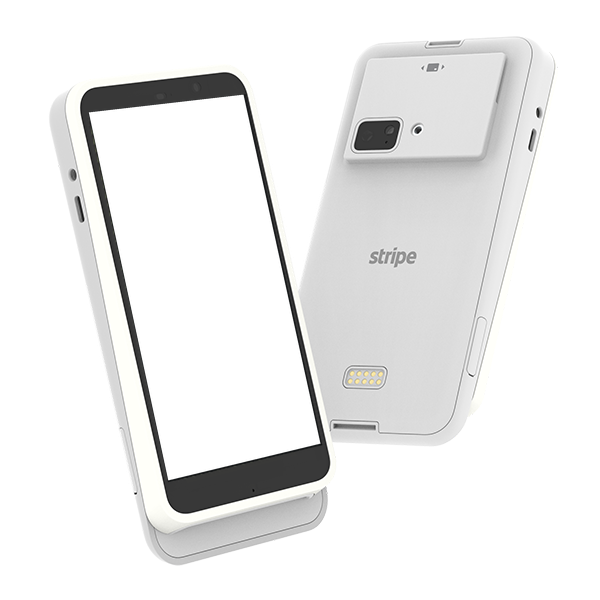
Pair a Stripe card reader with Checkout and choose Card. The amount appears on the reader and your customer taps a card, phone or watch. The payment is held, the sale is issued as a simplified invoice and only then is the card charged, so the money and the invoice always match.
- Cards, Apple Pay and Google Pay
- The cart on the reader’s screen as you ring it up
- If the invoice fails, the card isn’t charged
Present your card
Payment details
Waiting for customer...
€45,99
Pair the reader once
Order a Stripe Reader S700, S710, T600 or WisePOS E in your Stripe Dashboard. On the reader, open Settings, Device to see its registration code. Type it in Checkout under Readers, give the reader a name and it’s connected.
- Runs on your own Stripe account
- Your logo on its screen while it waits
- Tips if you want them, asked before paying
Connect a card reader
To get the registration code, go to Settings > Device on your reader.
Registration code
Reader name
Success
Reader connected
Add a code, the client or a tip before you charge
Type a discount code or a gift voucher and the price changes before you charge. Add the client and the sale becomes a full invoice in their name, with their NIF. Over €400 a sale needs a full invoice, so Checkout asks for the client.
- Discount codes and gift vouchers
- A full invoice with the client’s NIF
- The invoice emailed to a client with an email
Client (optional)
Tip
Your stock goes down with every sale
Each sale takes the item off your count. Set a low-stock mark for each product and the till warns you when it’s reached. At year end, count your stock in the Catalog.
- A year-end count in the Catalog
- Low-stock warnings
- Products in categories
- Gel polishStock: 24
- Hand creamStock: 9
- Cuticle oilStock: 3Low stock alert
Also in Checkout
- Works with a barcode scanner
- Your bank’s terminal recorded as card
- Tiles in the order you choose
- Search, categories and item types
- Classes, packs and memberships with Bookings
- Front desk mode: only the till, behind a PIN
- Refunds from the invoice, with a credit note
- Free on every plan
Every sale at the till is an invoice. And every invoice is already in this quarter’s IVA.
Questions about Checkout
If your question isn’t here, write to soporte@facturaz.es. English is fine.
No. Start with any tablet, computer or even your phone. Checkout runs in your web browser. A Stripe card reader is optional and can come later.
Every sale you ring up goes into your books
Start with the tablet or computer you have. 14 days free, cancel anytime.
Autónomo Go is €24 + IVA a month, Plus €44. See the plans