
An intra-community transaction is the sale of goods or services between businesses located in different EU member states. For a Spanish freelancer, this means invoicing a business client in another EU country.
This guide is part of How to invoice as an autónomo: IVA, IRPF and Veri*Factu, with everything you need to invoice correctly.
The key feature of these transactions is how IVA (Value Added Tax) is handled. Normally, when you sell to a client in Spain, you add 21% IVA to your invoice. For intra-community sales, the process is different. The transaction normally carries no Spanish IVA and the responsibility for handling the tax shifts to your client in their home country. This is known as the reverse charge mechanism (in Spanish, inversión del sujeto pasivo).
For this to work, your client must be a business or professional with a VAT number from another EU country.
When does a sale qualify as intra-community?
Not every sale to a client in another EU country is an intra-community transaction. For a sale to carry no Spanish IVA under the reverse charge mechanism, it must meet specific conditions:
- Both parties are businesses or professionals: The transaction must be B2B (business-to-business). You cannot apply this rule when selling to a private individual.
- Your client is registered in the VIES: Your client must have a valid EU VAT number and be registered in the VAT Information Exchange System (VIES).
- The goods or services cross a border: For goods, they must be physically transported from Spain to another EU member state. For services, the service is considered supplied where the client is established.
If these conditions are met, you can issue an invoice without adding Spanish IVA.
How to register for VIES
To perform intra-community transactions, you must be registered as an intra-community operator. This involves registering in the Registro de Operadores Intracomunitarios (ROI), which then lists you in the EU's VIES database.
Here's how to do it:
- Submit Modelo 036: When you first register as an autónomo, or anytime afterward, you need to use the tax agency's Modelo 036.
- Mark Box 582: In this modelo, you will find a section for "Registro de operadores intracomunitarios." You must tick box 582 to request registration.
- Wait for Approval: The Spanish Tax Agency (AEAT) will review your application. They may check that you have a genuine business reason for the registration. The approval process can take up to three months.
- Check Your Status: Once approved, your NIF (tax identification number) will be listed in the VIES census. You can check your status and the status of your clients on the AEAT's VIES consultation portal.
Request the ROI registration before your first operation. Note that it does not change where a service is supplied: a service to a business in another EU country carries no Spanish IVA even while your registration is pending.
Invoicing for an Intra-community sale
Once you are registered in VIES, creating an invoice for an EU client is straightforward. It looks much like a standard invoice but with a few crucial differences.
Your intra-community invoice must include:
- Your VIES VAT number: This is your Spanish NIF with the "ES" prefix (e.g., ESX1234567A).
- Your client's VIES VAT number: Before you send an invoice, make sure the number is valid in the VIES system. If you're using Facturaz, no worries: we'll check it for you automatically.
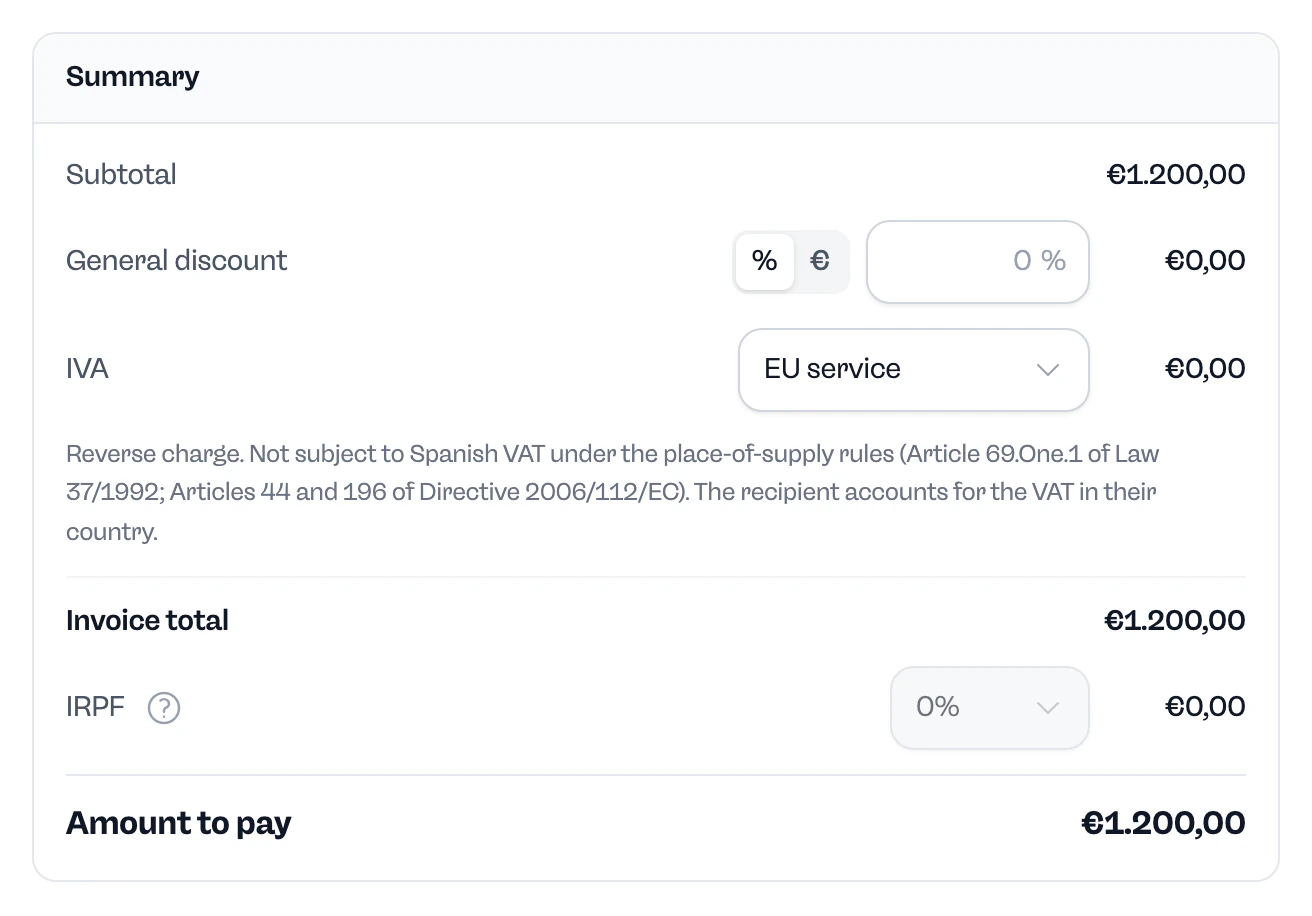
- A specific note: For a service, the invoice carries the note "Inversión del sujeto pasivo": the service is not subject to Spanish IVA (art. 69.Uno.1º of Ley 37/1992). For goods, "Entrega intracomunitaria exenta, art. 25 de la Ley 37/1992".
- No IVA amount: The invoice should show 0% IVA.
Software like Facturaz makes this easy by providing templates that automatically include these fields when you designate a sale as an intra-community supply. This ensures your documents are always compliant.
Your tax obligations
Engaging in intra-community trade comes with specific reporting requirements. You must declare these transactions to the Spanish tax authorities using our tax management tools.
- Modelo 303 (Quarterly IVA Return): Even though you don't charge IVA, you must report the total value of your intra-community sales in this modelo.
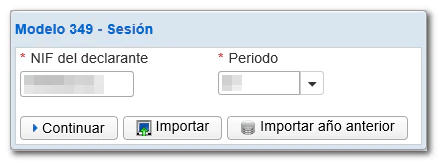
- Modelo 349 (Intra-community Operations Summary): This modelo is a detailed summary of all your intra-community transactions, both sales and purchases. You must list each EU client or supplier you've worked with during the period and the total amount invoiced. The frequency of filing (monthly or quarterly) depends on the volume of your operations. Annual filing no longer exists.
These modelos are essential for keeping your tax affairs in order. Using a platform that generates these models automatically from your invoice and expense data can save you significant time and reduce the risk of errors.
Final steps to get it right
Managing intra-community transactions might seem like an extra administrative step, but it's a normal part of doing business within the EU single market. Breaking it down makes it manageable:
- Register for VIES: This is your first and most important step.
- Verify Your Clients: Always check that your client's VAT number is valid in the VIES database before invoicing.
- Invoice Correctly: Use the right format and include the required legal note about the reverse charge mechanism.
- Declare Your Transactions: Remember to file both Modelo 303 and Modelo 349.